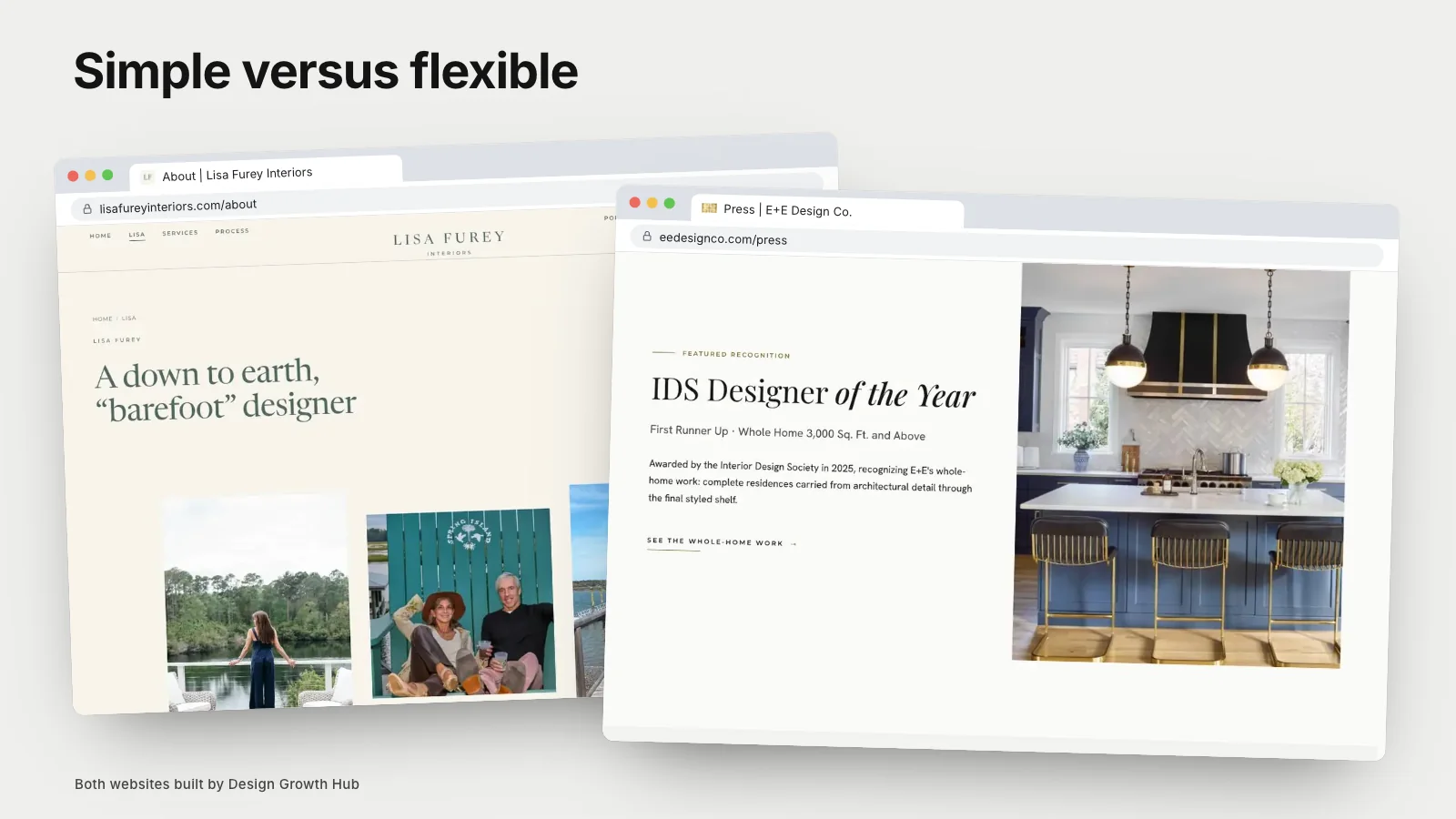
Showit gives creative studios more visual freedom, letting you place elements precisely on each page and design desktop and mobile layouts separately. Squarespace offers more simplicity, with structured templates that adapt to phones automatically and require less design effort. Showit often pairs with WordPress for blogging, while Squarespace includes blogging built in. Both can support good search visibility with clear content. The right choice depends on your design ambitions, time and how you want to manage the site.
Here is how they compare for interior designers and other creative studios.
Design freedom
Showit's editor works like a design tool: you place text, images and shapes anywhere. This suits studios with a strong visual identity who want pages to feel bespoke. Squarespace uses structured sections and templates, which produce clean results with less effort but less flexibility.
Mobile design
In Showit, you design mobile layouts separately, which gives control but requires extra work and care. In Squarespace, mobile layouts adapt automatically, with fewer options for fine-tuning.
Ease of use
Squarespace is generally easier for beginners and for updating content quickly. Showit's freedom comes with a learning curve, and maintaining consistency across many pages takes discipline.
Blogging
Showit typically uses WordPress for blogs, combining Showit's design with WordPress's blogging tools. Squarespace has built-in blogging that is simpler but less flexible.
SEO
Both allow page titles, descriptions, alt text and clean addresses. Showit sites can be well optimized, though page structure needs care because free design can create messy headings. Squarespace handles some structure automatically. In both cases, content and structure matter most. Our article on entity-based visibility explains why consistency across your web presence matters too.
Performance
Image-heavy pages need optimization on both platforms. Showit's freedom can lead to heavier pages if not managed carefully. Test speed on phones.
Templates and designers
Both have marketplaces of templates designed for creatives. Many designers specialize in Showit or Squarespace customization.
Cost
Both use subscriptions. Showit plans with WordPress blogging add some cost. Templates and design help add more.
Which suits your studio
- Studios wanting a bespoke look with time or designer help: Showit.
- Studios wanting simplicity and quick updates: Squarespace.
- Studios with large portfolios and complex needs: consider WordPress or custom.
Our comparison of Squarespace versus WordPress covers the next step up, and our article on using a builder versus hiring a designer helps you decide who should build it.
Keeping a Showit site consistent
Showit's freedom is its strength and its risk. Without discipline, pages can drift in spacing, type sizes and image treatment. Create a simple set of rules for your site, such as two type styles for headings, one for body text, consistent margins and a defined image ratio for projects, and follow them on every page. Many studios use a designer-built template and change only content to keep things consistent.
Keeping a Squarespace site distinctive
Squarespace's structure makes consistency easy, but sites can look similar to others using the same template. Distinctiveness comes from photography, thoughtful typography choices within the template's options, careful color choices and well-written content. A studio with excellent photography and a clear voice can stand out on any template.
Updating projects
Consider how often you add projects. Squarespace makes adding a new project page relatively quick. Showit can be equally quick if you duplicate a well-designed project template, but designing each project page individually takes more time. If you add projects frequently, build an efficient template from the start.
Working with a designer
Many studios hire a designer to set up either platform, then manage updates themselves. Ask the designer for a short training session and a written guide to adding projects and editing pages. A site you can update confidently is a site that stays current.
Questions to help you decide
How important is a bespoke visual layout to your brand? How much time can you spend on updates? Will you blog regularly? Do you plan to grow into a larger site? Honest answers usually make the choice clear.
Accessibility and readability
On either platform, check that text is large enough, contrast is strong and images have alt text. Creative layouts sometimes sacrifice readability; a beautiful page that is hard to read on a phone loses visitors.
Trying both
Both platforms let you explore before committing. Build one project page on each using your own photos and text, then view it on a phone. Notice which editor feels natural and which result looks more like your studio.
Ownership
Whichever you choose, keep the account and domain in your studio's name, and give designers access rather than ownership.
Growth and moving later
Both can serve growing studios for some time. As portfolios grow, some studios move to WordPress or custom builds for more structure. Plan redirects if you move. Our website guide for growing studios explains how needs evolve.
Visibility beyond the platform
Platform choice matters less than clear service and project pages, a complete Google profile and consistent details. Our 90-day visibility foundation and article on why clients search by project type explain what drives visibility.
If you would like help choosing or building on the right platform, our website creation service works with creative studios. Or request a studio review to start.
The best platform is the one that helps you keep a clear, current site with the time and help you have.
Turn your website into a visibility asset
A website can be a brochure or an asset that brings clients. We help design studios build the second kind.
Request a Studio Review